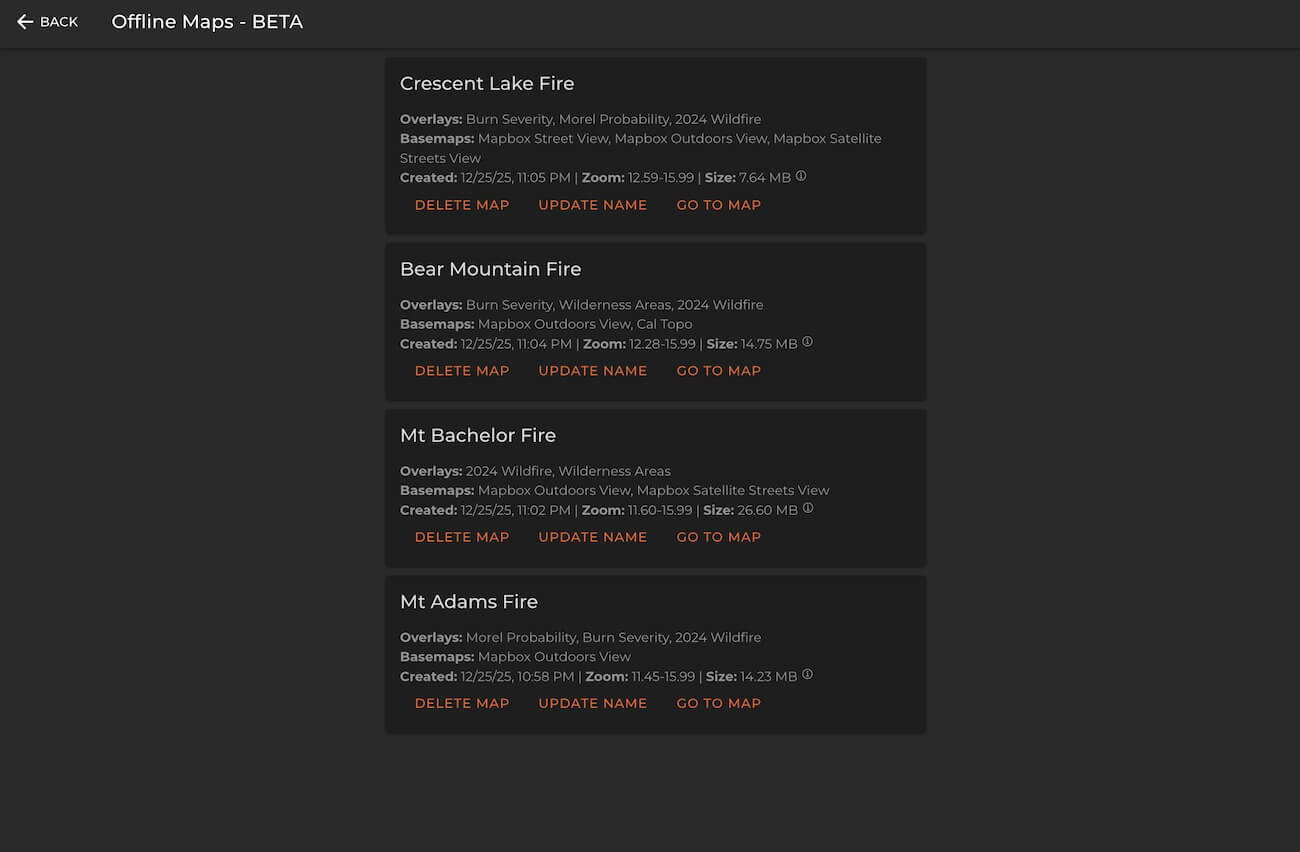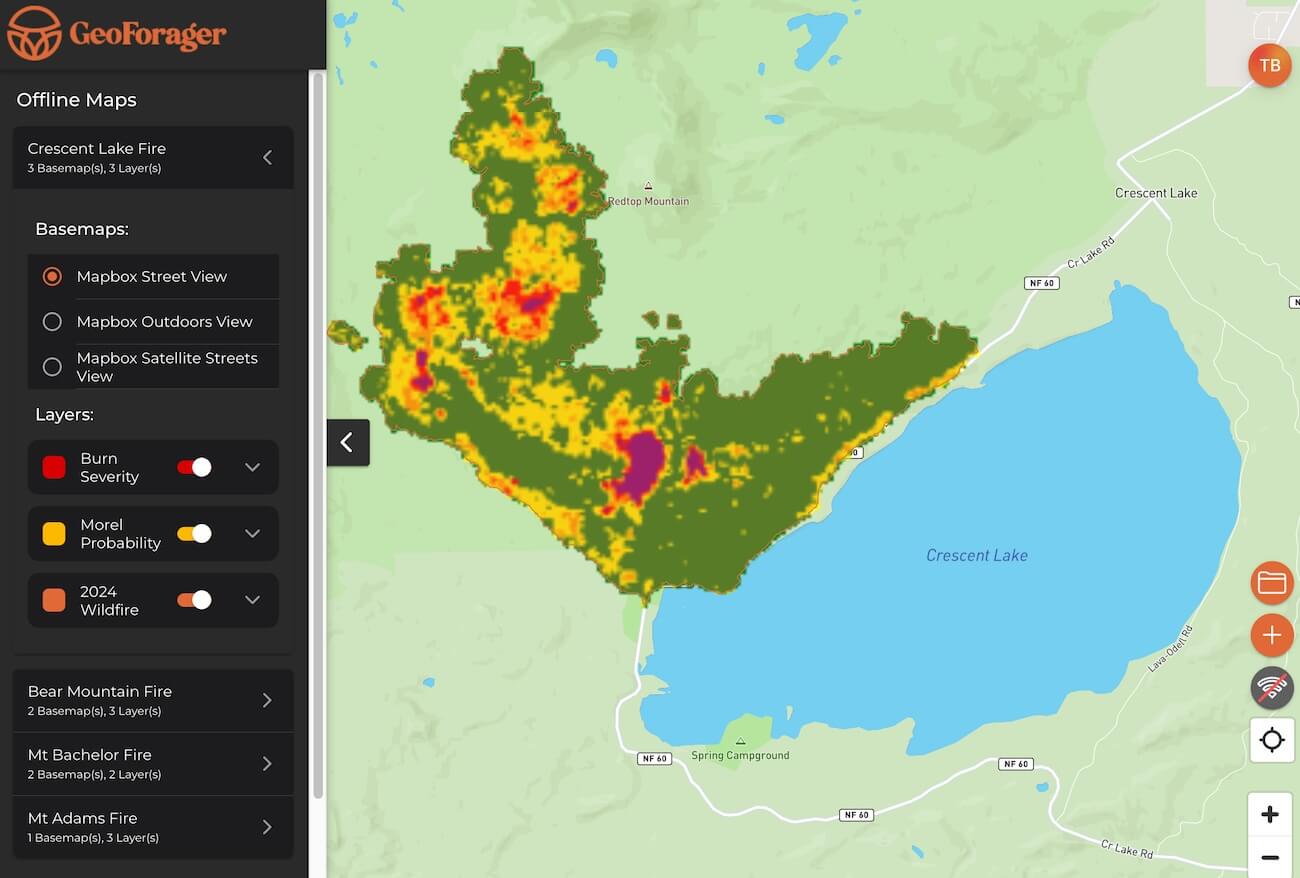

Frustratingly, it seems like mushrooms prefer to grow where cell phones cannot access data! So your map app needs to work, even when there is no cell phone signal. GeoForager has a “save offline” feature that allows you to select a map area and save the map in your phone so it works even when there is no cell phone signal.
Established Facts:
- While it is true that your phone can not download data without a signal, it does have a GPS chip that will tell you where you are on your map! That means you can see your location on a map without cell phone signal. The problem is that you can’t see the actual map itself.
- You must to plan ahead and download the map area you plan to hunt in! If you don’t anticipate and save maps ahead of time, you won’t have access to them when you need them!
- Saved maps require a lot of storage space. We don’t allow you to save large areas, but you can save multiple adjacent views and you do have many visible miles to forage inside.
Instructions for those with GeoForager:
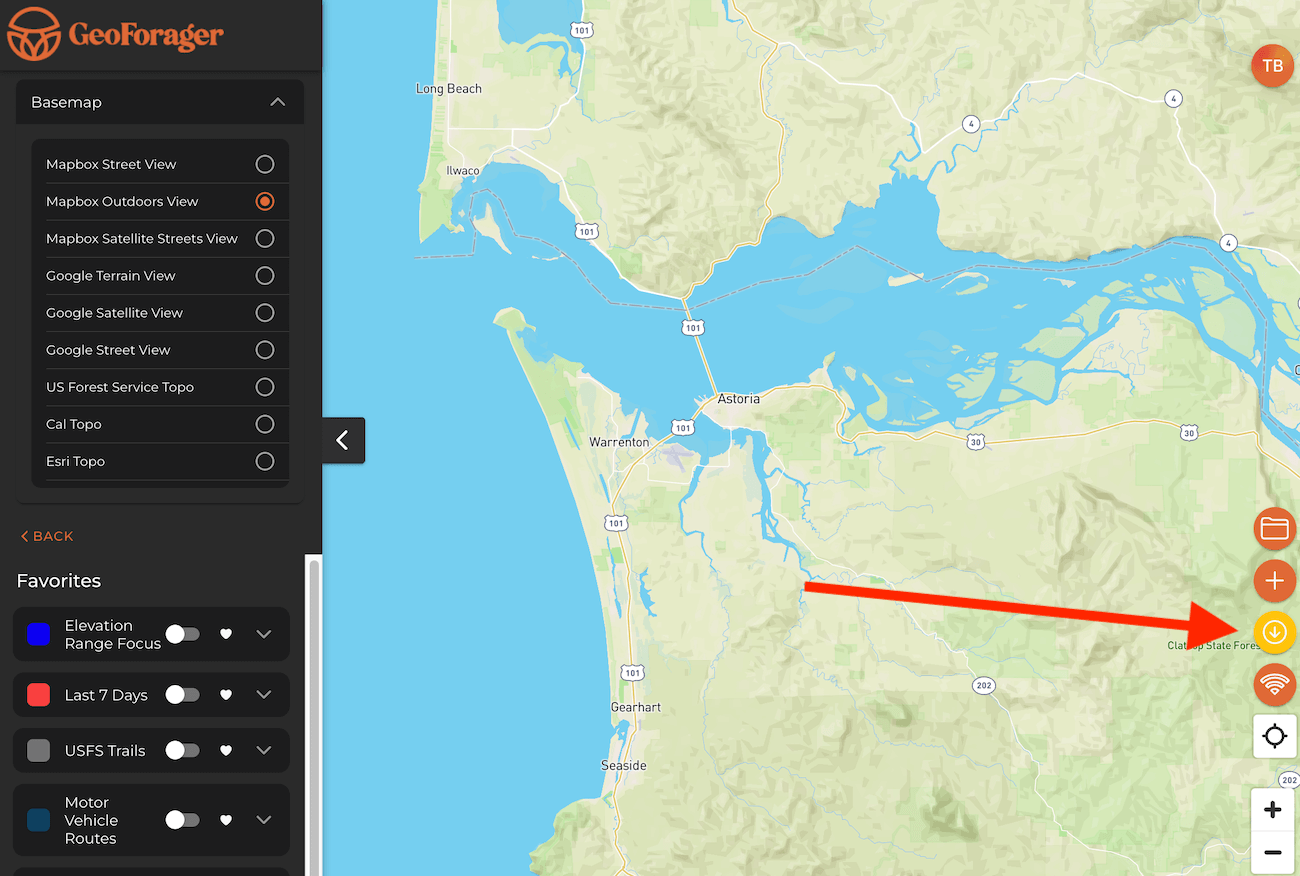
1 – Zoom in until the download icon (orange circle with down arrow bottom right) turns orange (if it is yellow, you must zoom in more)
2 – Select basemap types and map overlays that you want to save offline. Note: not all basemaps or overlays are available. You can select up to 6 layers.
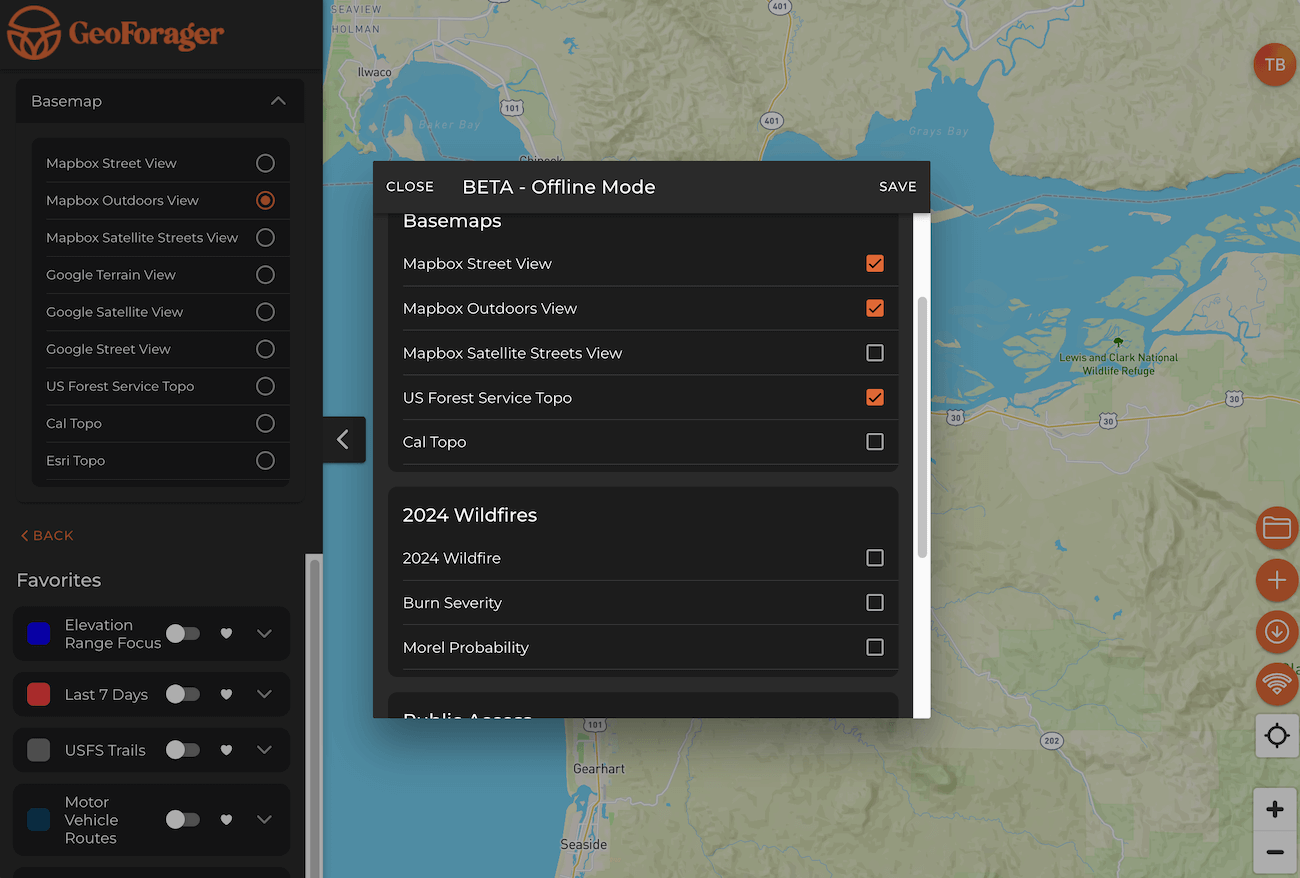
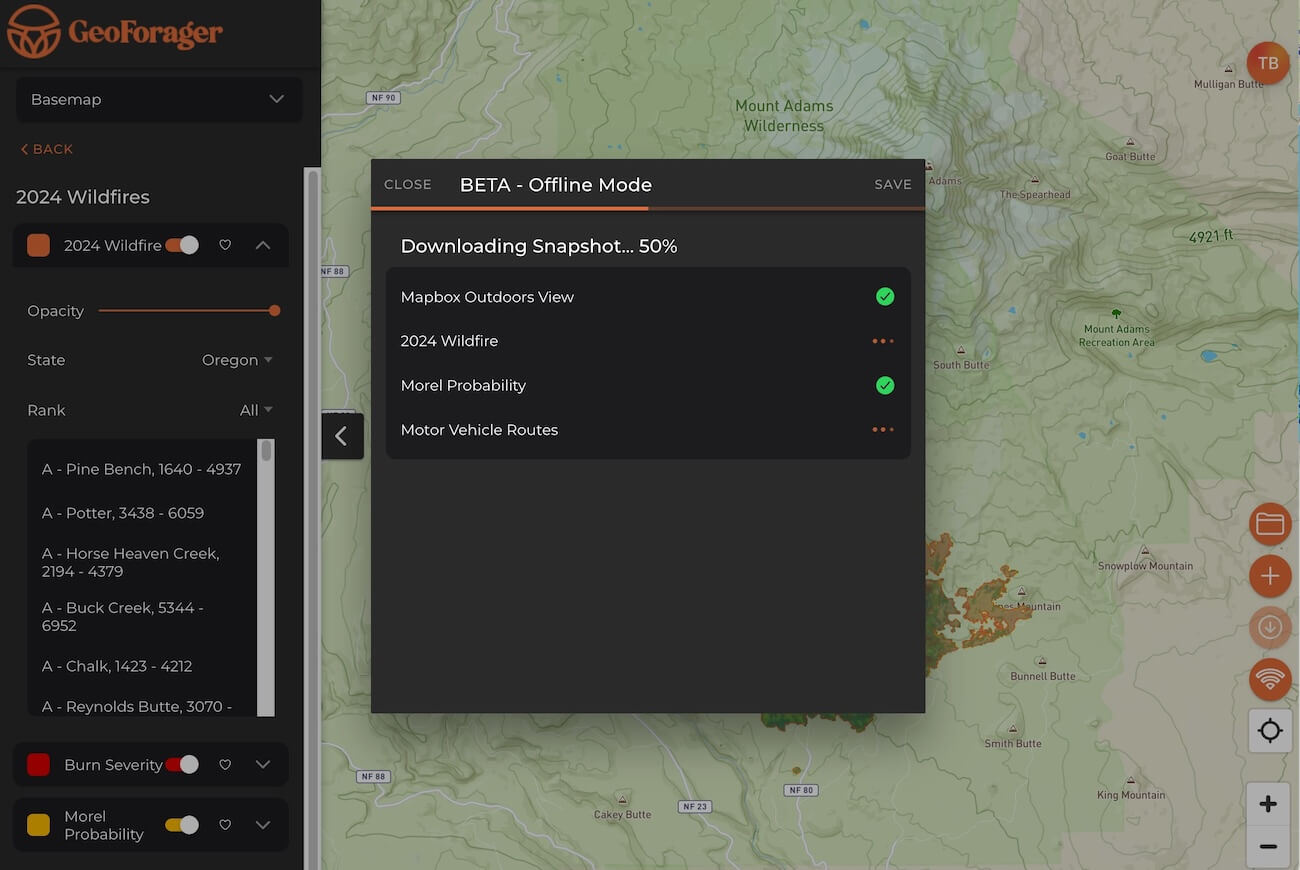
3 – GeoForager will track your downloads and let you monitor progress. It takes some time to get them downloaded so be patient.
4 – The “offline icon” (wifi symbols) will tell you if you are offline. Need to know: if you are in an area with only 1 bar and really poor cellular data, just click the offline icon and take the app offline. This will prevent your app from spinning and spinning while it tries to load maps when there is a really poor internet connection and instead allow you to use your offline maps.
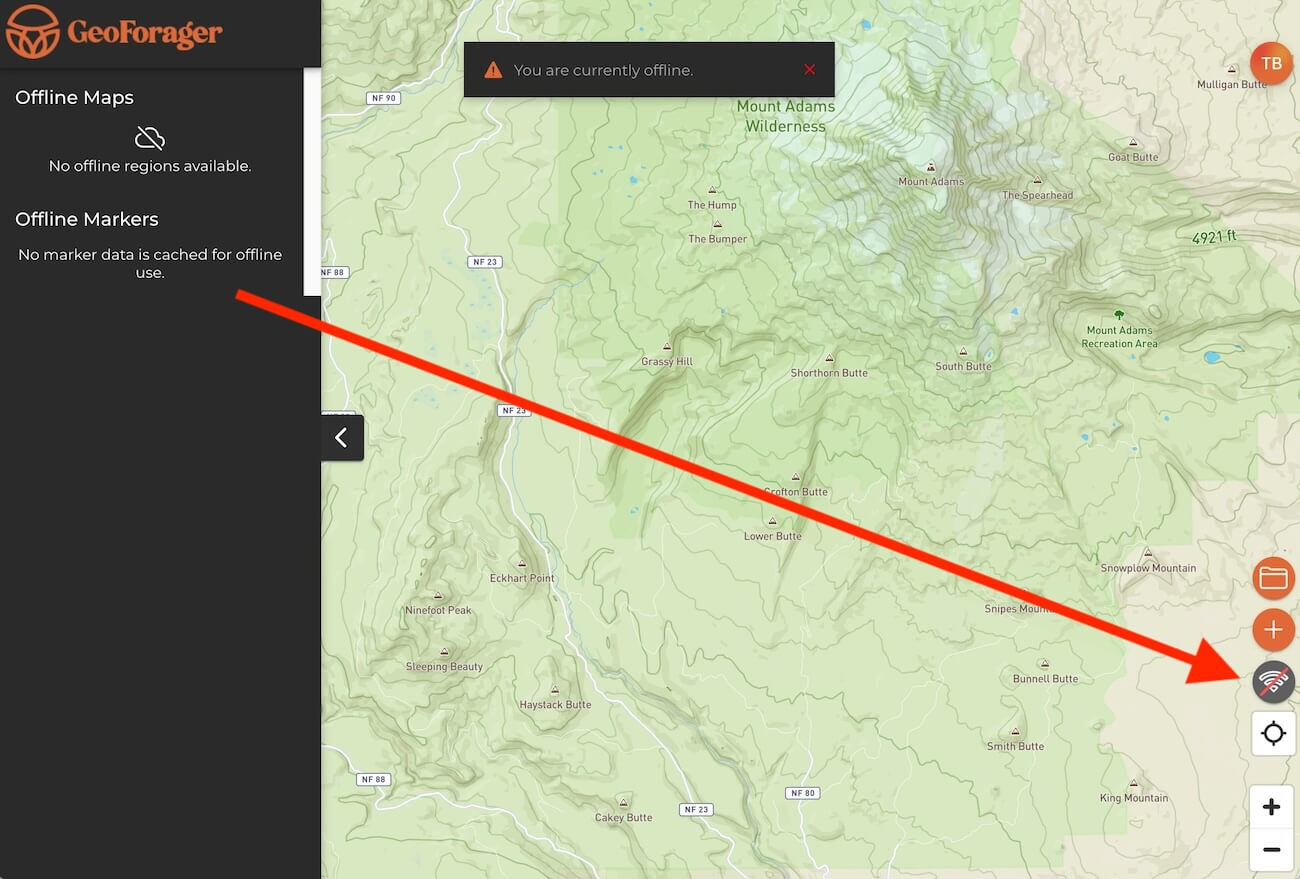
5 – If you are offline, go into your offline map area and select the map to load. If you want to test it, click the offline icon and it will take you offline.
6 – When you are offline, you will have access to the saved maps and their respective basemaps and overlays.